Every cable, core and port — in one model.
OFC Network Manager is built around the plant, not an abstract diagram. Here is what that means in daily use, from the first cable to the final loss reading.
Draw with real cable, not a line.
Place nodes, closures, distribution boxes and equipment. Connect them with real cable types. A 288F cable costs the same to draw as a 12F one because the renderer works per bundle.
- Cable types from 2F to 432F, with real construction.
- Straight joins snap collinear at the closure — the joint renders as one unbroken run.
- Places read from the graph: cable end, node, closure, box or equipment.
- Sites group a busy drawing; collapse to a miniature and restore.
- Pull a strand out and lay real glass to a new point.
- Undo everything, named to what you did, with a drag collapsing to one step.
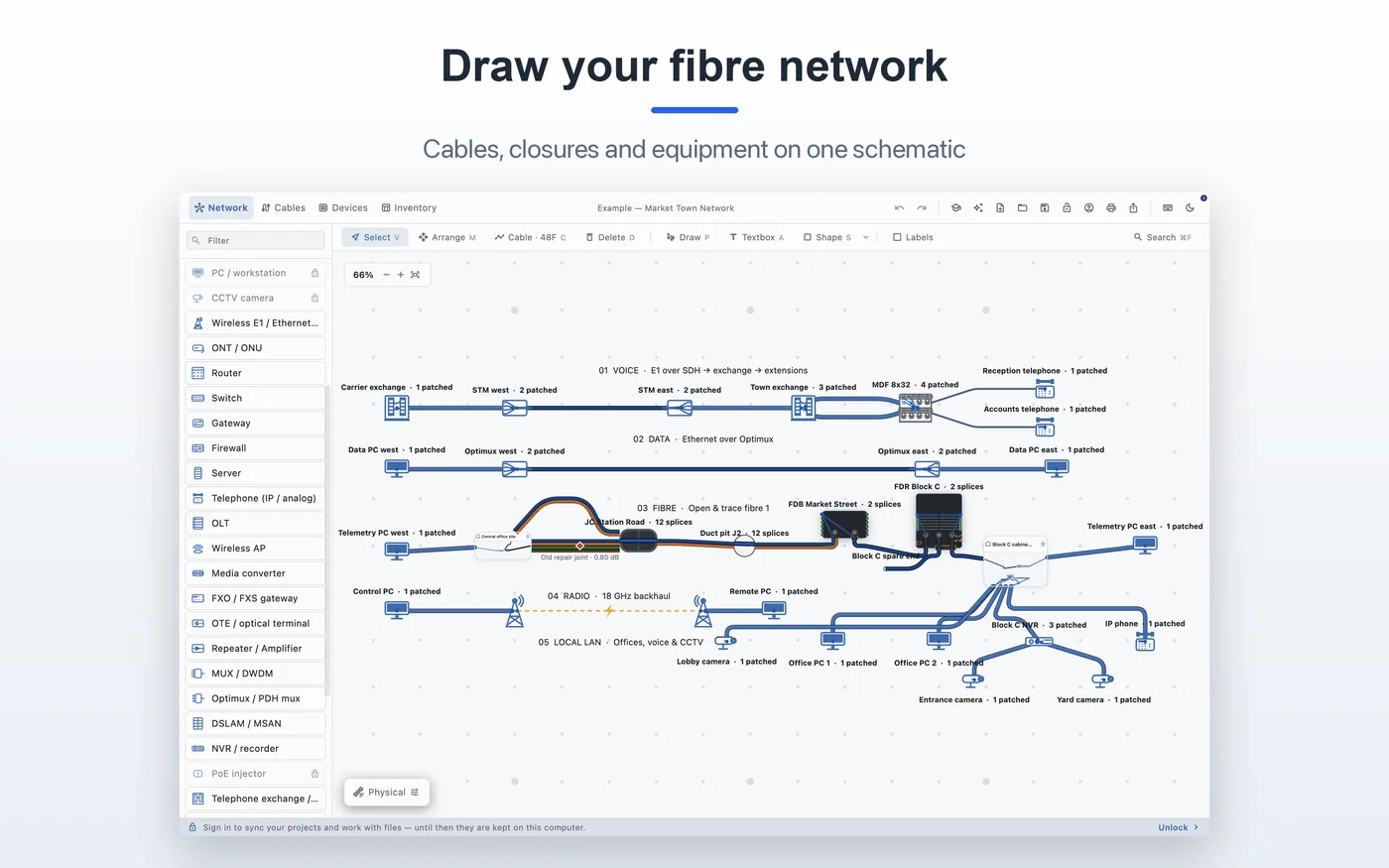 Draw · Market-Town-Network
Splice in the closure, not in a spreadsheet.
Fan any cable end open. Work with the tubes and fibres that are actually there, in TIA-598 colour order. Splice a core, a tube or a whole end; land it on a port; cut and heal.
- TIA 12-colour sequence, ring and tracer past twelve.
- Numbered splice tray slots inside every closure.
- Distribution boxes: glands (C1…) and adapters (F1…).
- FDR frame with paired adapters and shared glands.
- Bulk splice a tube or a whole cable end.
- Cut mid-span and heal it back.
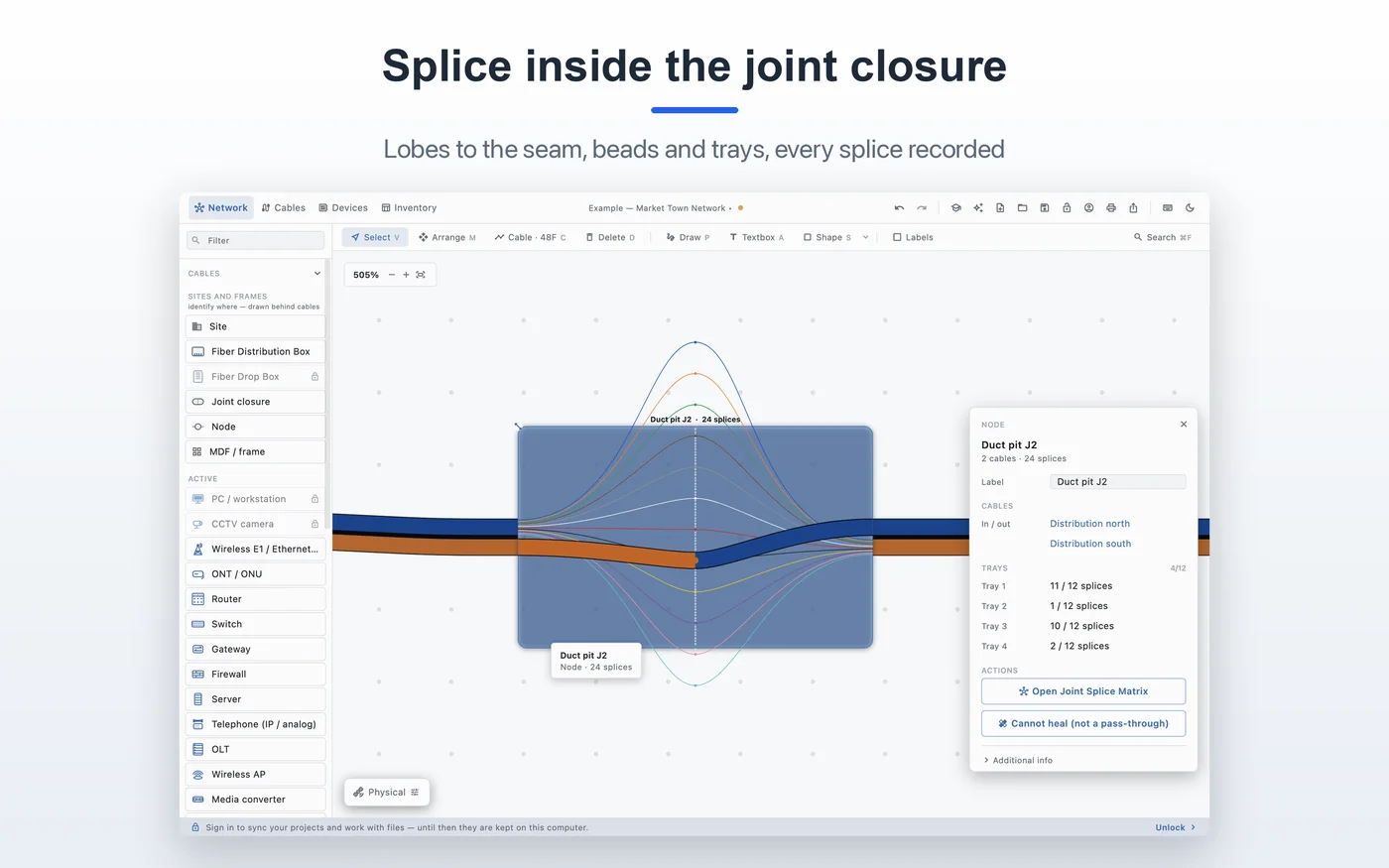 Joint closure · splice tray
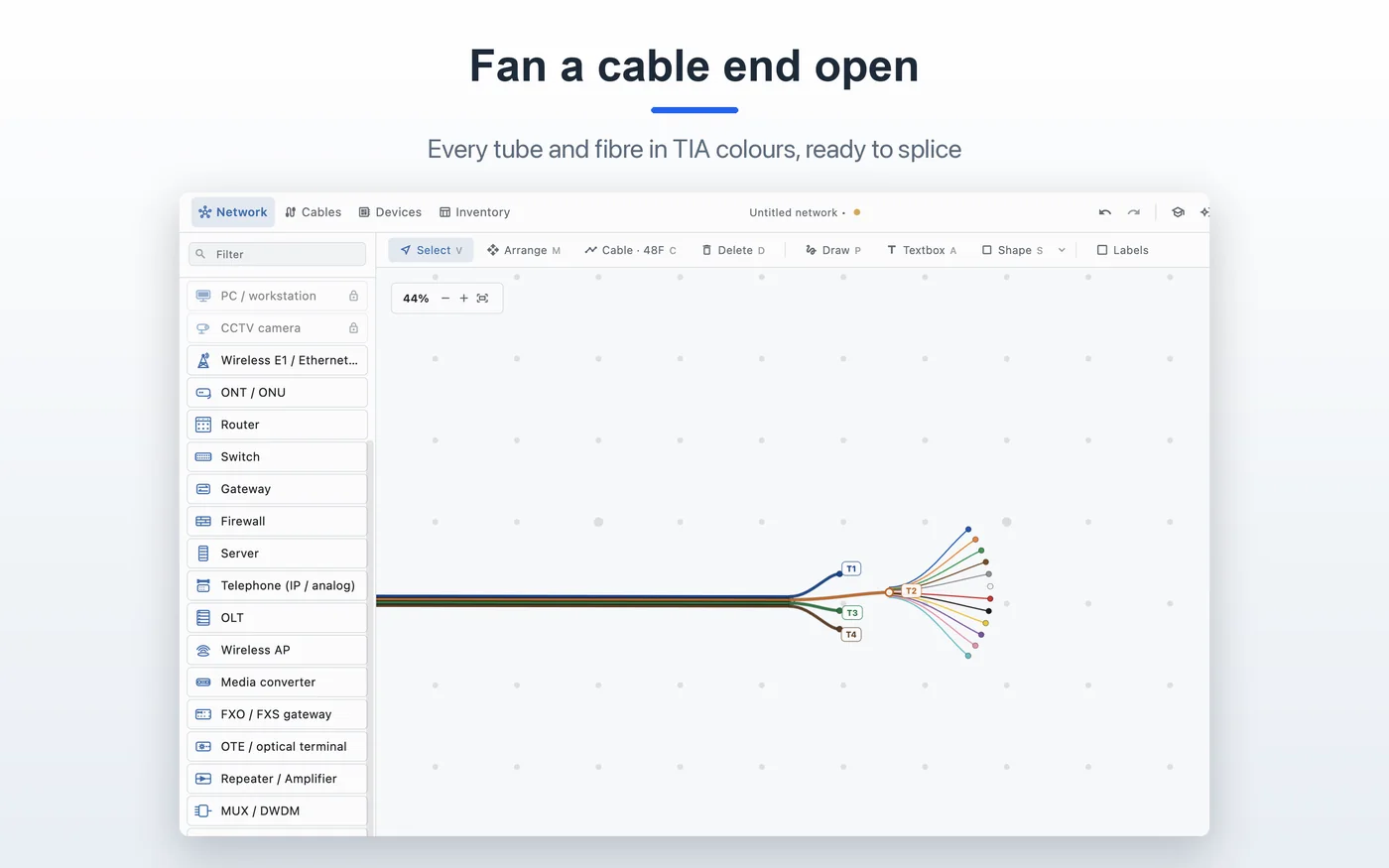 Fanned end · TIA-598
Trace a core. Read the loss.
Search by core, cable, label, tube/fibre or device IP. The route lights up through every joint, splitter and patch. Distance and optical loss are totalled as you go.
- Trace through equipment that passes service on; stop at what consumes it.
- Splitters branch into a tree; rings terminate and say so.
- Joint loss derived and locked; path and total back-solve each other.
- Addresses at both ends, and at every equipment hop.
- Matches stay lit when zoomed out.
- Copper links are one whole link — never opened, never spliced.
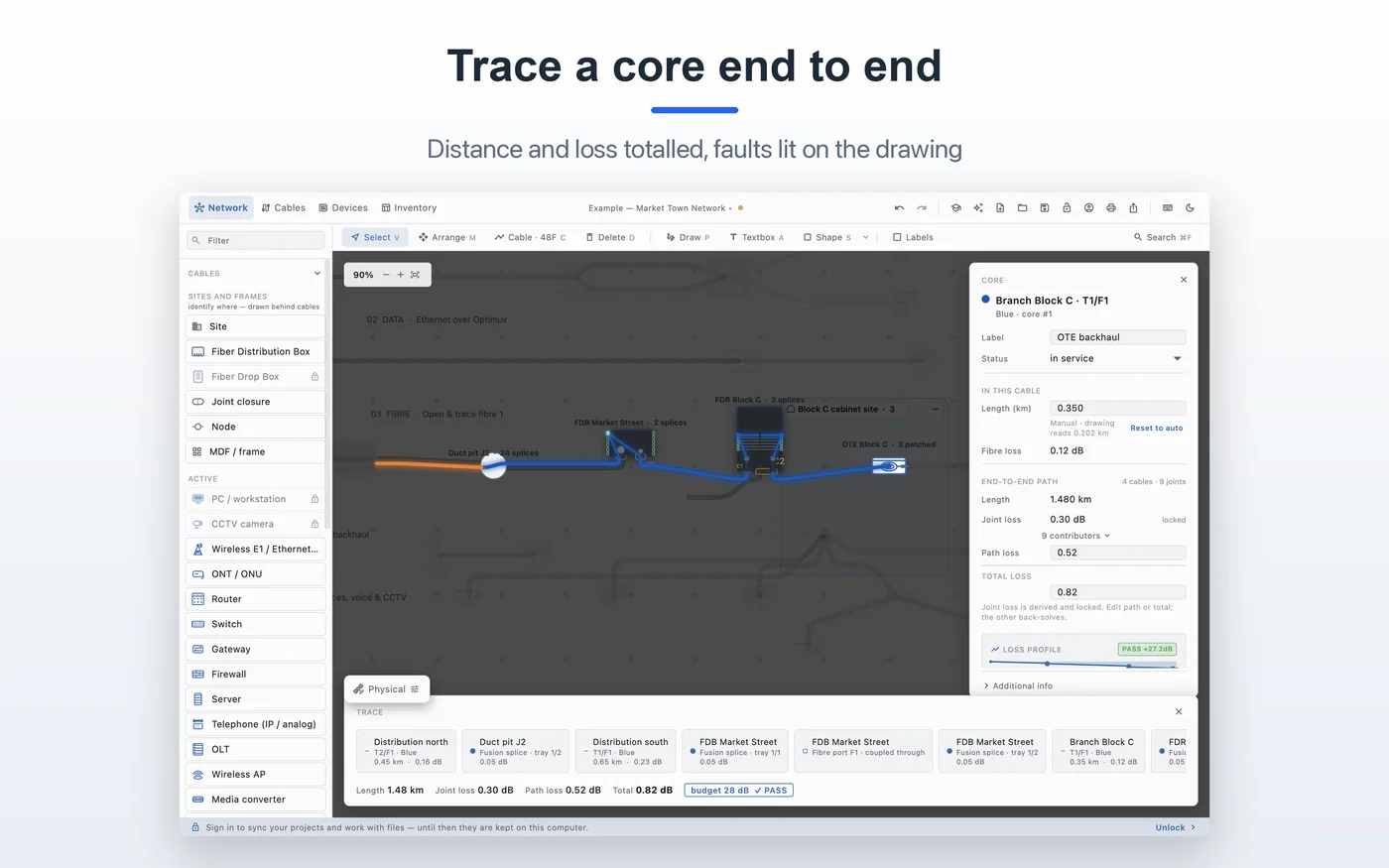 Trace · 2.72 km · 1.40 dB
The same network, on the ground.
The physical view is a second drawing of the same network over satellite imagery, with its own positions. Move something on the ground and the schematic does not move. Tidy the schematic and the field sheet stays put.
- Independent positions for every place.
- Read-only network in the field view; placement is the exception.
- Hide items from the view; hidden items stay out of print.
- Mark up either view with ink, notes, boxes and rings.
- Print what is on screen, at the scale you set.
- The same closures, cables and ports as the schematic.
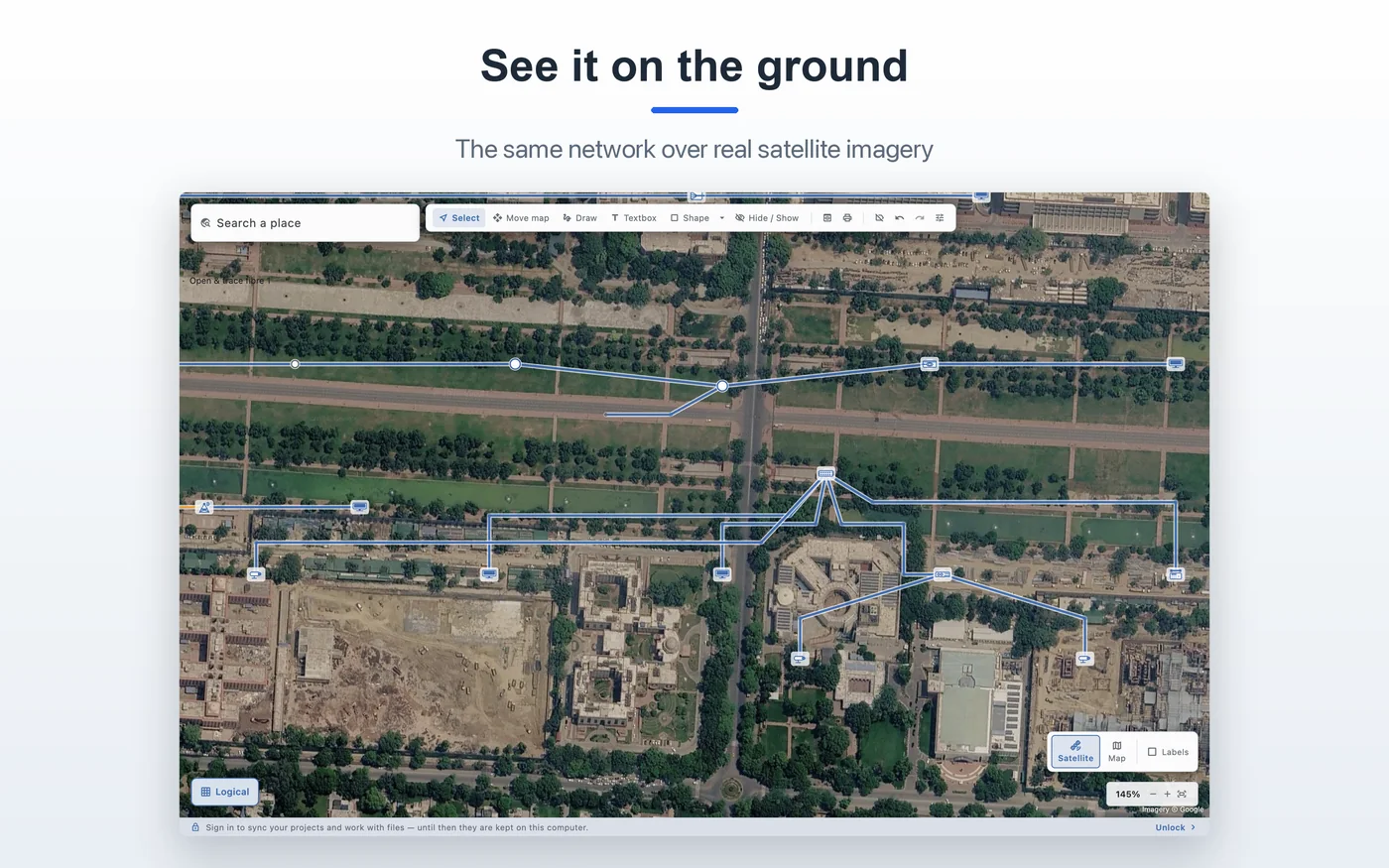 Physical · satellite
Equipment stands somewhere.
A machine is a place on the network, not a picture beside one. Run a cable to a switch and it terminates on the switch. Plug the first fibre into a port and it stands where that fibre is.
- OLT, ONT, switch, router, gateway, firewall, server, PC, phone, AP, camera and more.
- Every device draws its ports; every port can be aimed at and dropped on.
- Ports have sides — tributaries and line, PON and LAN, in and out.
- Connectors decide what fits: LC/SC on fibre, RJ45 on twisted pair, Ethernet either.
- Optical WAN/LAN groups, copper/fibre mixes and configurable interfaces.
- Cable inventory: ID, type and length for every run.
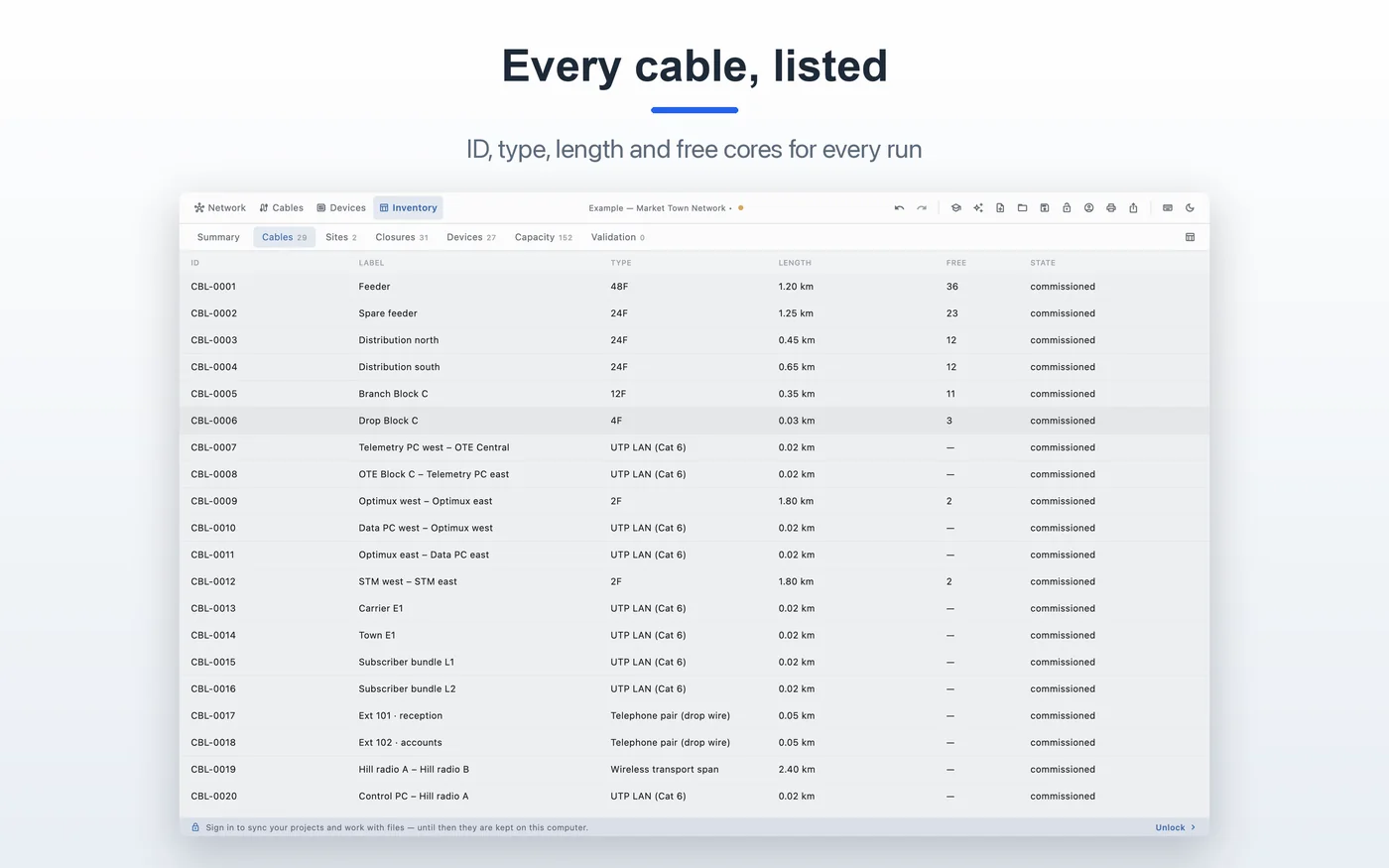 Inventory · every cable listed
Files you own. Sync when you want it.
Projects are .ofcx files: a ZIP with plain JSON inside. They save atomically, keep a .bak and a crash-recovery journal. The lifetime unlock adds cloud sync and encrypted storage.
- Atomic save, .bak backup and crash-recovery journal.
- Password-protect a project with Argon2id and AES-256-GCM.
- Print, or export CSV, image and PDF.
- Cloud sync across computers with the lifetime unlock.
- No subscription.
- Same file on Windows, macOS, Android, iOS and iPadOS.
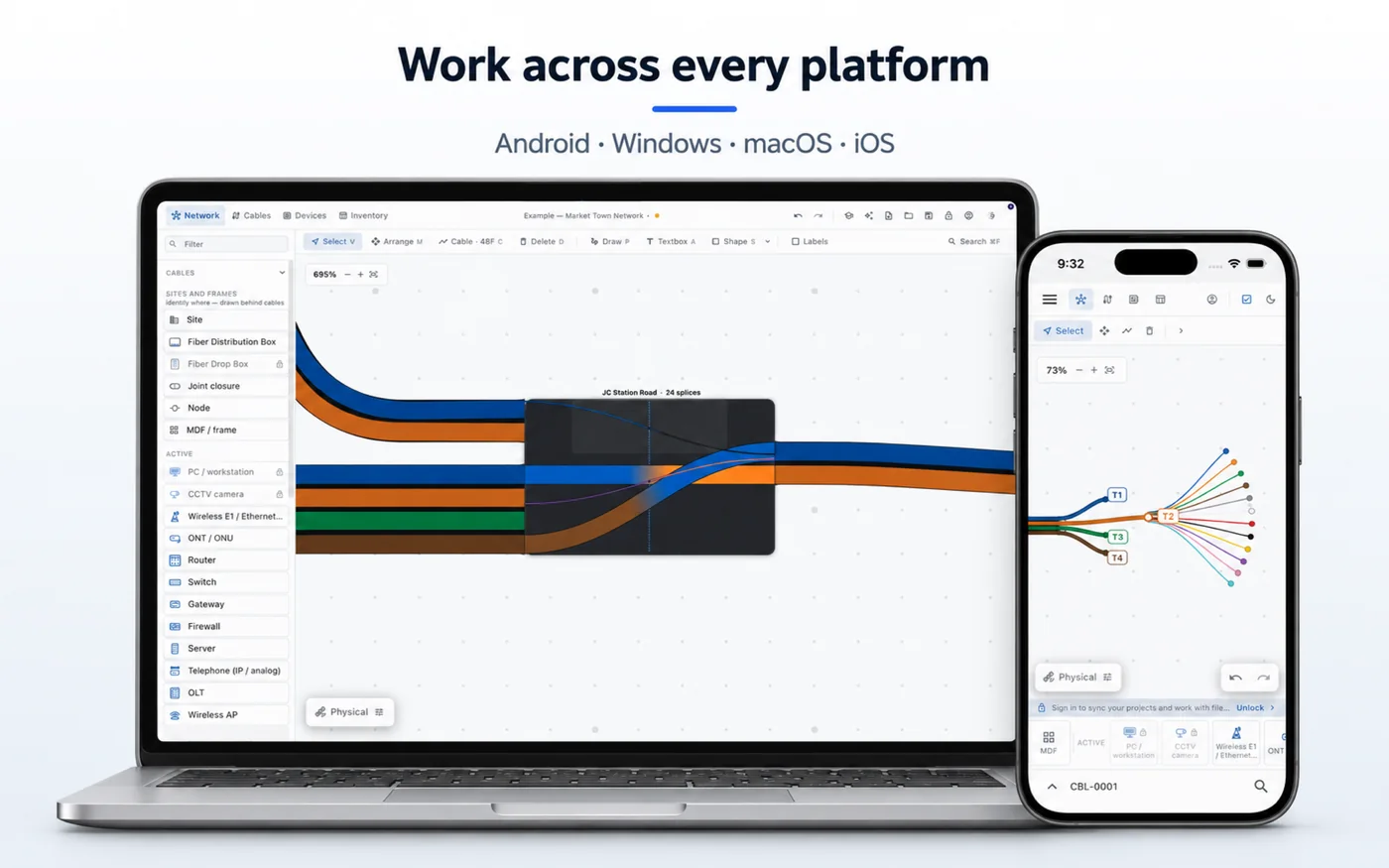 .ofcx · Mac, Windows, mobile
What generic tools miss.
CAD, spreadsheets and drawing apps can all hold a picture of a network. None of them hold the network.
| Job | CAD / spreadsheets | OFC Network Manager |
|---|---|---|
| Follow a core end to end | Manual, error-prone | Yes — with distance and loss |
| Splice tubes and fibres | Drawn as lines | Real trays, beads and ports |
| Physical + logical views | Two disconnected files | One model, two views |
| Cable inventory | Separate schedule | Generated from the drawing |
| Loss calculation | Spreadsheet formulas | Built into the trace |
| Field mark-up | Print and redraw | Mark up either view |
About the features.
Can I draw any fibre count?
Cable types run from 2F to 432F. A 288F cable costs the same to draw as a 12F one because the renderer works per bundle, and you can fan any end open to work with its tubes and fibres.
Does it support TIA-598 colours?
Yes. The 12-colour sequence is built in, with ring and tracer marking past twelve and super-units for higher counts.
Can I trace through equipment?
Yes. A trace follows a core through every joint, splitter and patch, through equipment that passes service on, and stops at the equipment that consumes it — and says why it stopped.
Can I use it without a connection?
Yes. Drawing, splicing, tracing and local project files work offline. Cloud sync is optional and part of the lifetime unlock.
See it on your own network.
Download the free app and draw a closure, a cable run or a whole estate.